Screenshotli
Capture. Annotate. Ship.

- macOS 14 Sonoma or later · Apple Silicon & Intel · Swiss-made
- No account, no tracking
- Works offline
- Made in Switzerland
Overview
A native macOS screenshot app built for engineers, designers, and indie devs. Grab any region in one keystroke, annotate it without leaving your flow, and wrap it in an App Store-ready device frame — all in one tool.
In detail
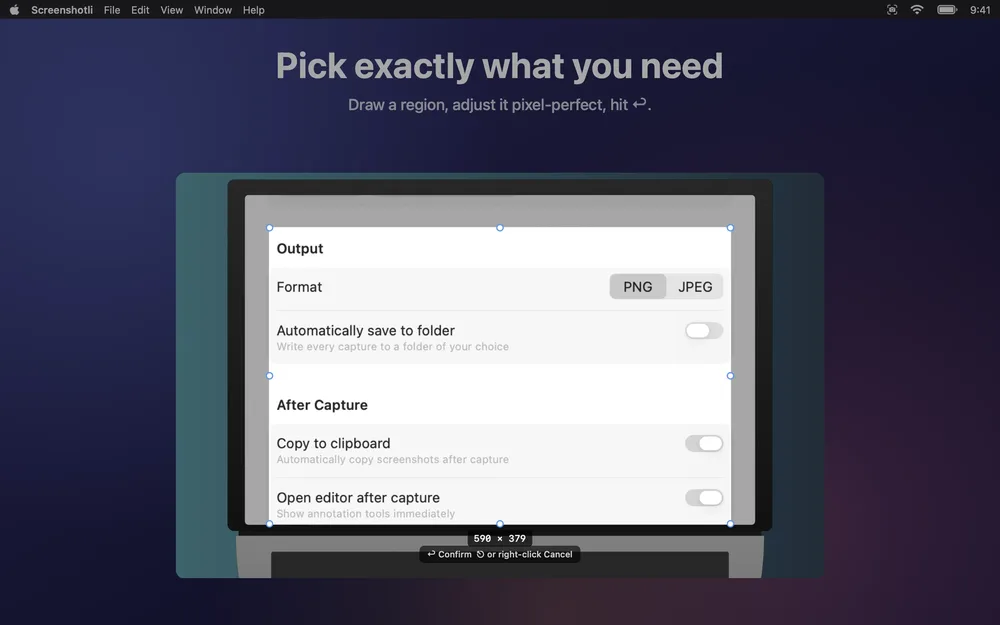
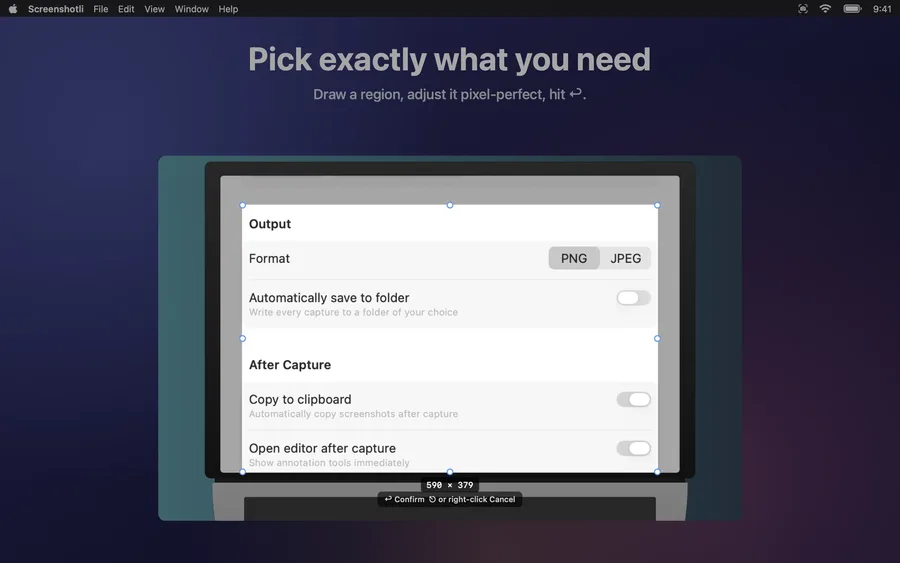
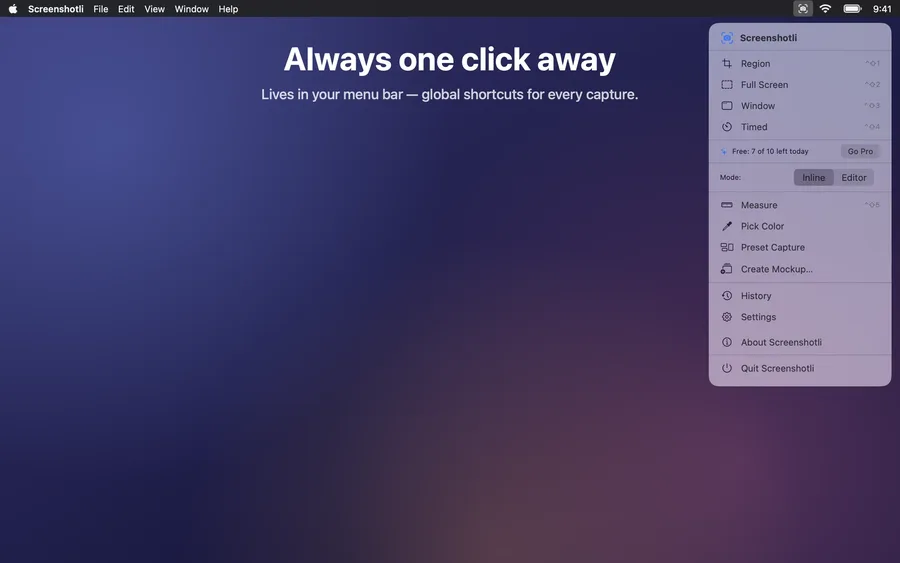
Grab exactly what you need.
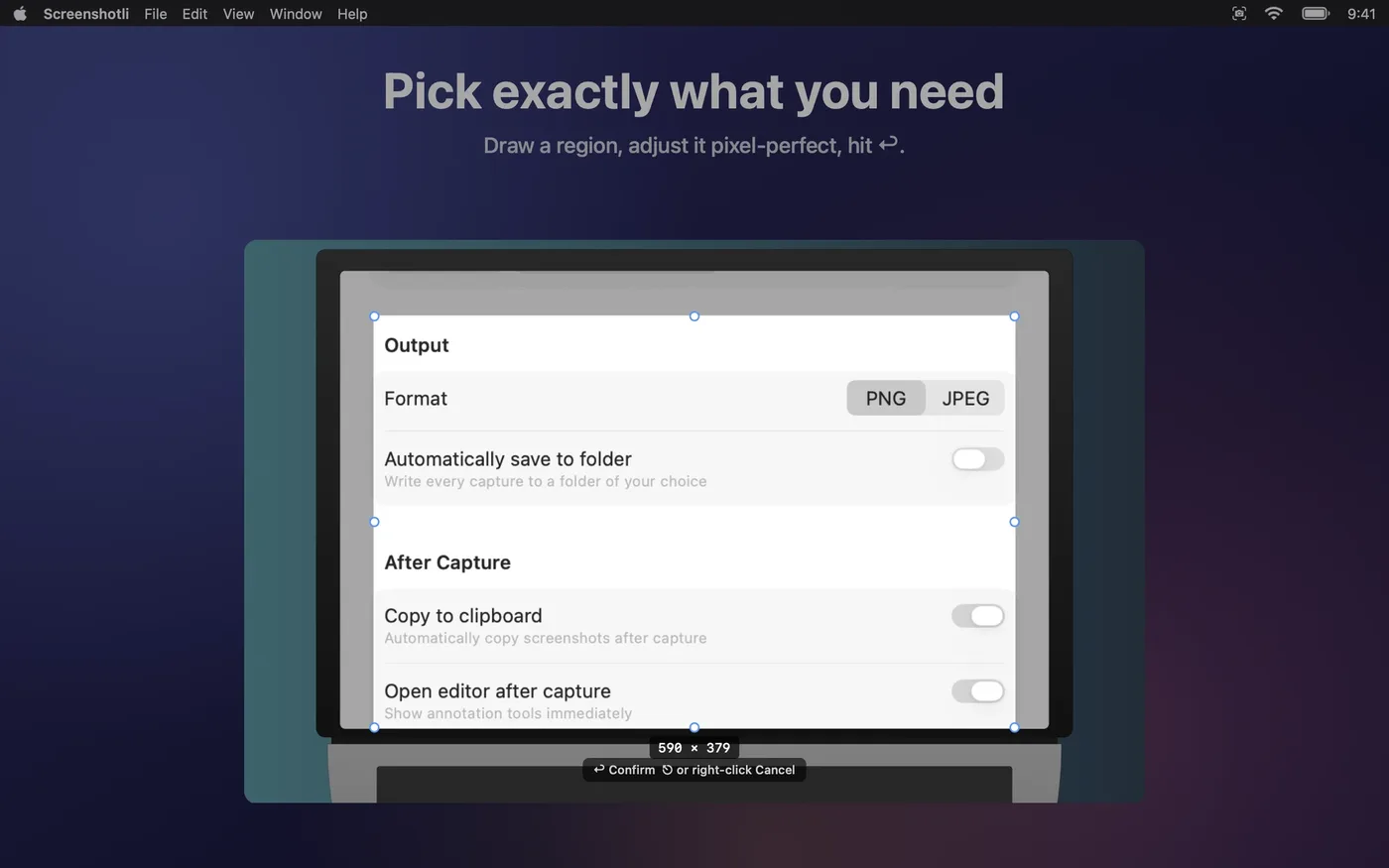
One global hotkey, then draw a selection with live pixel measurements. Windows, regions, full screen or a preset size for pixel-perfect App Store shots.
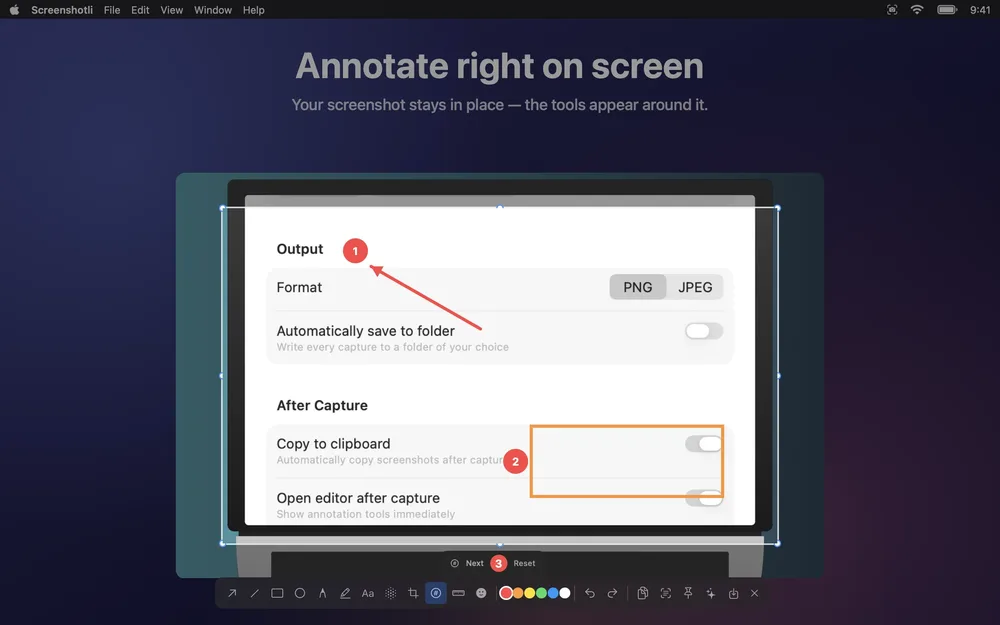
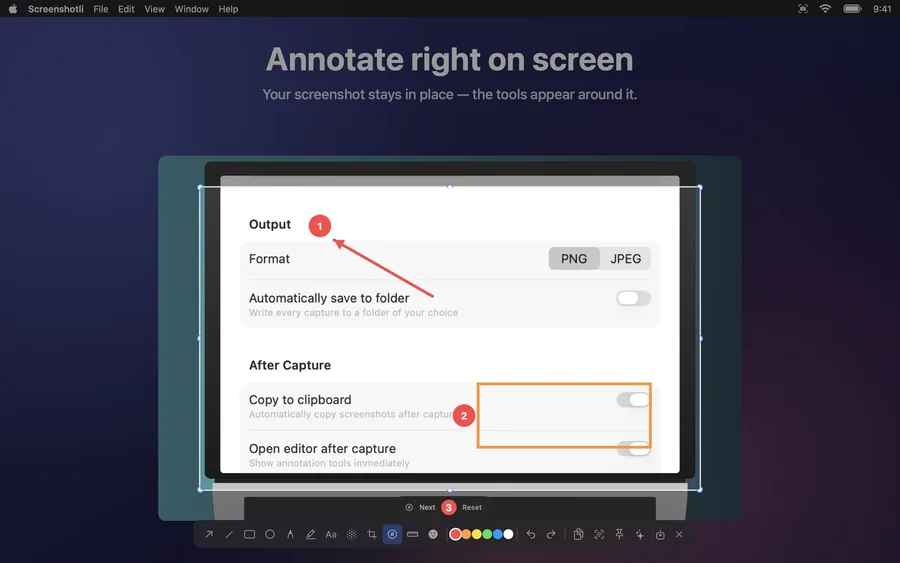
Annotate right where you captured.
Your screenshot stays in place and the tools appear around it: arrows, shapes, numbered steps, text, blur and highlight – without switching to another window.
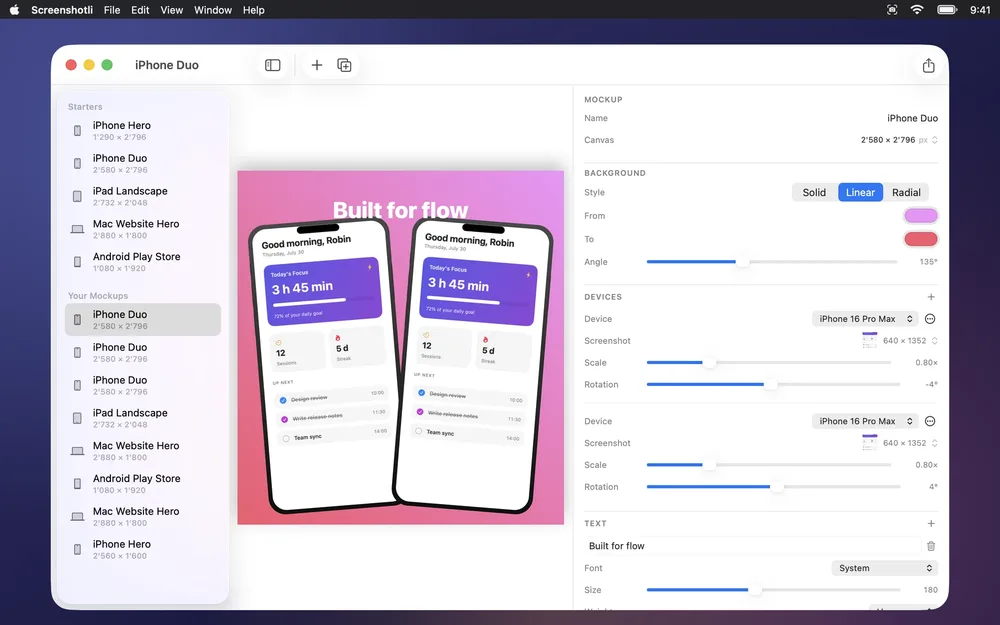
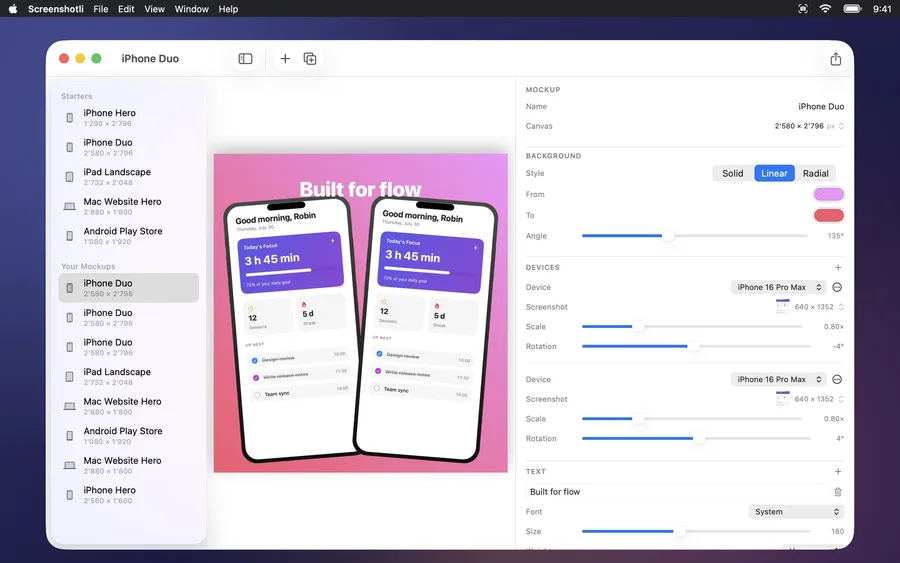
From screenshot to store-ready mockup.
Drop a capture into an iPhone, iPad, Mac, Android or Safari frame, add a background and a headline, and export in the exact sizes the stores ask for.
Everything in Screenshotli.
Instant region capture
One global hotkey. Draw a selection with live measurements, adjust edges with handles, hit Enter.
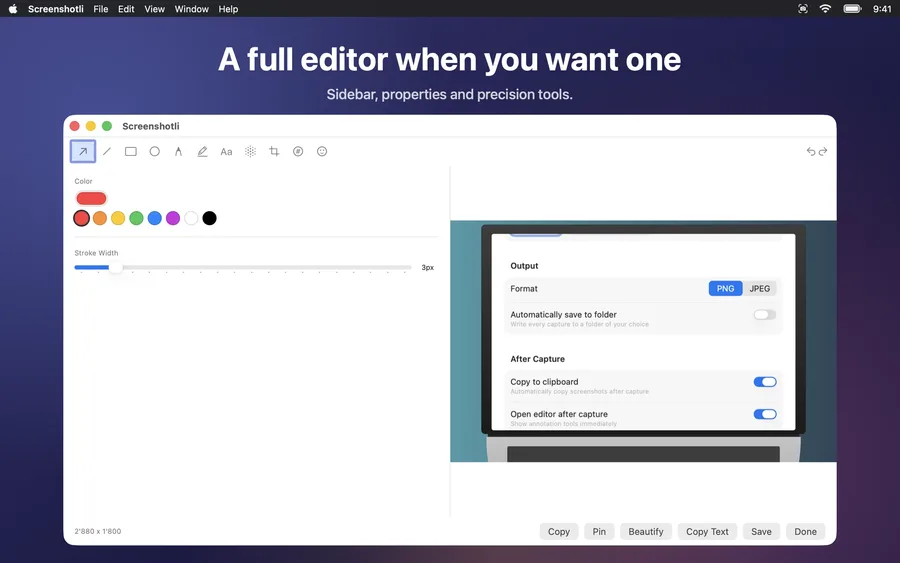
11 annotation tools
Arrow, line, rectangle, ellipse, pencil, highlighter, text, blur, crop, counter, emoji. All non-destructive.
Inline editor
Annotate right where you captured, without jumping to a separate window. Floating toolbar follows your selection.
Preset capture
Pick a target pixel size, position your window under an on-screen frame, and shoot with a clean 9:41 menu bar baked in.
Mockup editor
Wrap shots in iPhone, iPad, Mac, Android, or Safari frames. Add marketing text. Export at any App Store size.
History you can search
Every capture is saved, named, tagged. Drop any history shot into a mockup with one click.
Native everywhere
Built in Swift with SwiftUI + AppKit. Retina-sharp output. Respects your accent color, dark mode, and keyboard shortcuts.
Keyboard-first
⌘Z undo, Delete to remove, ⇧ to nudge, ⌘N new mockup, ⌘E export. No reaching for the mouse.
Screenshots
Pricing
Get Screenshotli.
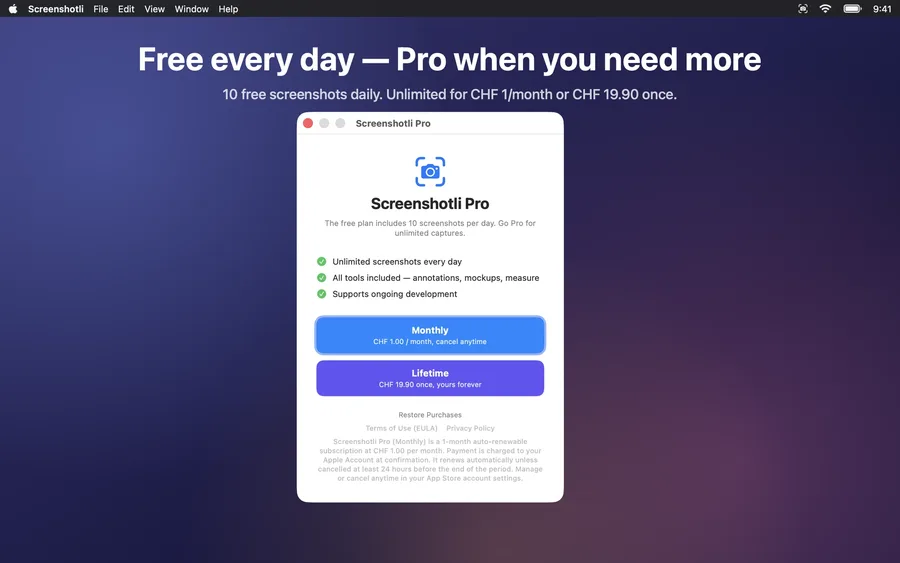
- 10 screenshots per day
- All capture modes
- Annotation & mockup tools
- Unlimited screenshots every day
- All tools included — annotations, mockups, measure
- Supports ongoing development
In-app purchase through the App Store. One purchase covers iPhone, iPad and Mac.
Questions
What is Screenshotli?
Screenshotli is a native macOS screenshot app that combines fast region capture, a complete annotation toolkit, and a built-in mockup editor. It runs from the menu bar and exports screenshots at App Store and Play Store pixel sizes.
Does Screenshotli work on Apple Silicon and Intel Macs?
Yes. Screenshotli is a universal macOS app that runs natively on Apple Silicon (M1, M2, M3, M4) and Intel Macs. It requires macOS 14 Sonoma or later.
Can I create App Store screenshots with Screenshotli?
Yes. The built-in Mockup Editor wraps your captures in iPhone, iPad, Mac, Android, or Safari device frames on a gradient background, and exports at exact App Store and Play Store pixel sizes — iPhone 6.9", 6.7", 6.1", 5.5", iPad 13", 12.9", 11", Mac, and Android Phone / Tablet.
How is Screenshotli different from CleanShot, Shottr, or Xnapper?
Screenshotli combines screenshot capture, annotation, and device-mockup generation in one native app — no handing files between tools. It’s written in Swift with strict concurrency, renders at true retina resolution, and offers a free tier of 10 screenshots per day.
Is Screenshotli free?
Screenshotli is free to download and includes 10 screenshots per day. Screenshotli Pro unlocks unlimited captures — CHF 1.00 per month as a subscription, or CHF 19.90 as a one-time lifetime purchase. No account required.
Does Screenshotli support keyboard shortcuts?
Yes. A global hotkey triggers capture. The editor responds to the standard macOS shortcut language: ⌘Z / ⇧⌘Z for undo and redo, Delete to remove selection, ⌘N for a new mockup, ⌘D to duplicate, ⌘E to export, Shift + arrows to nudge by 10 points.
Get Screenshotli today.